Swipture: Daily Bible Verses
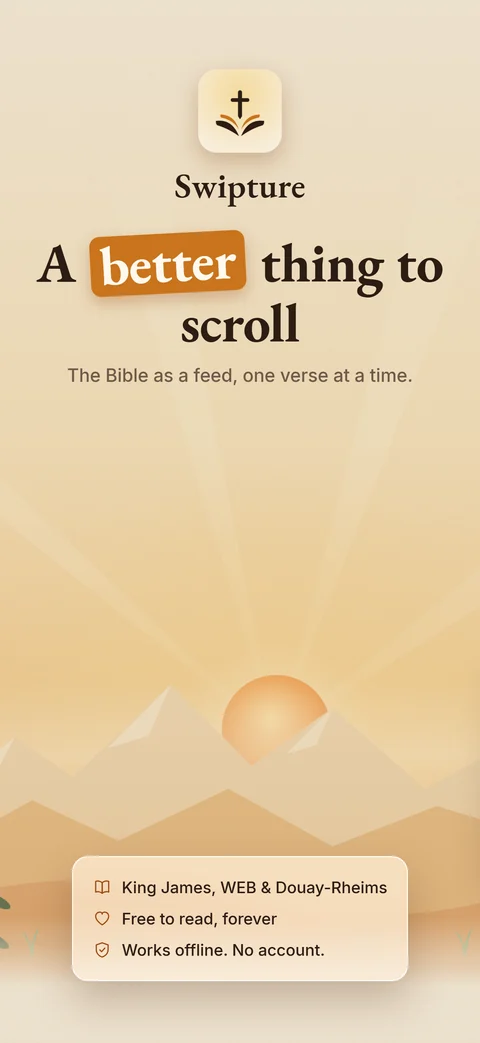
A better thing to scroll
DAILY VERSE • DEEPER FAITHSame thumb, a different feed. One verse at a time — no account, no algorithm, nothing asked of you. Swipe up for the next verse, down to go back — and Swipture reopens on the exact verse you left.
Real screens from the app
Swipe through what you get: the feed, the study panel, Pause & Reflect, search, progress and your Journal.
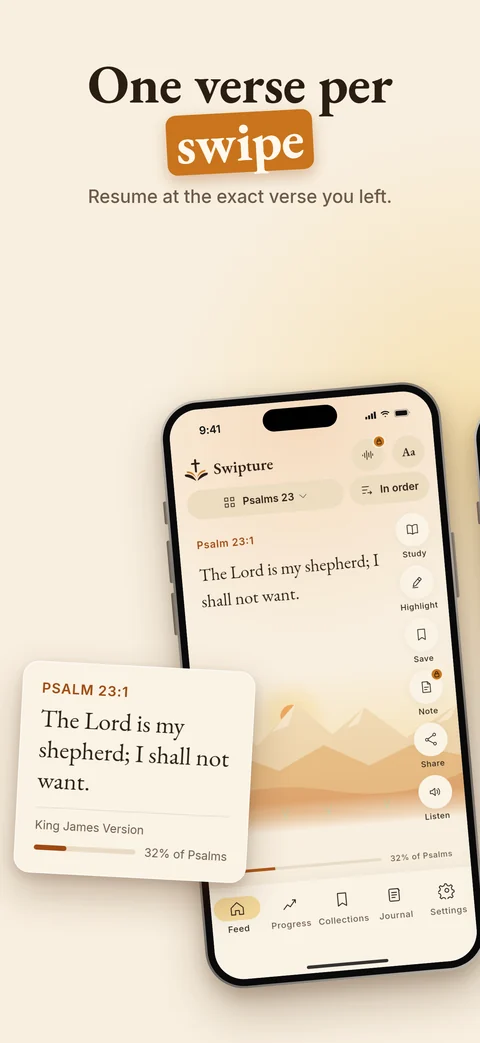
Three gestures. That’s the whole app.
Same thumb, a different feed — no menus to learn before you can read.
Swipe up
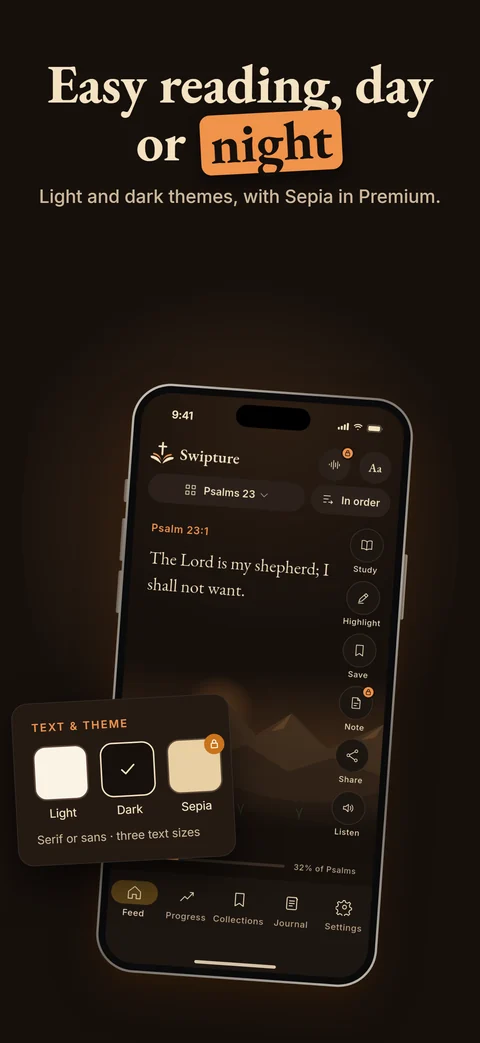
One verse fills the screen. Swipe for the next, in order or shuffled, and pick up exactly where you stopped.
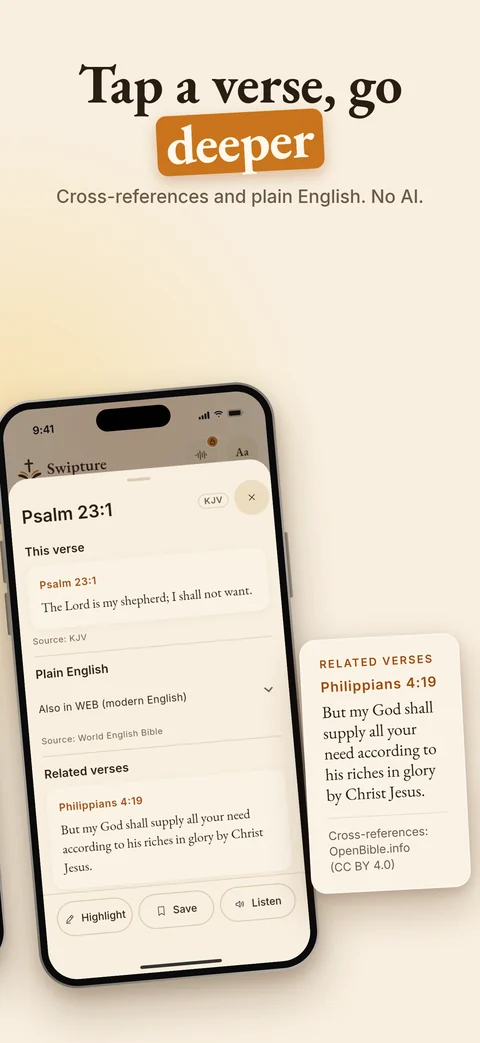
Tap a verse
Open the study panel: cross-references from the Treasury of Scripture Knowledge, and the same verse in plain English.
Hold to keep it
Highlight a verse, save it to a collection, or share it as a picture with someone who needs it today.
Everything you need to read, free
The scrolling feed, every verse and Pause & Reflect stay free — for good.
Three complete Bibles
King James Version, World English Bible and Douay-Rheims (Challoner) — every verse on your phone.
In order or shuffled
Read straight through, or let Swipture surprise you without ever repeating a verse.
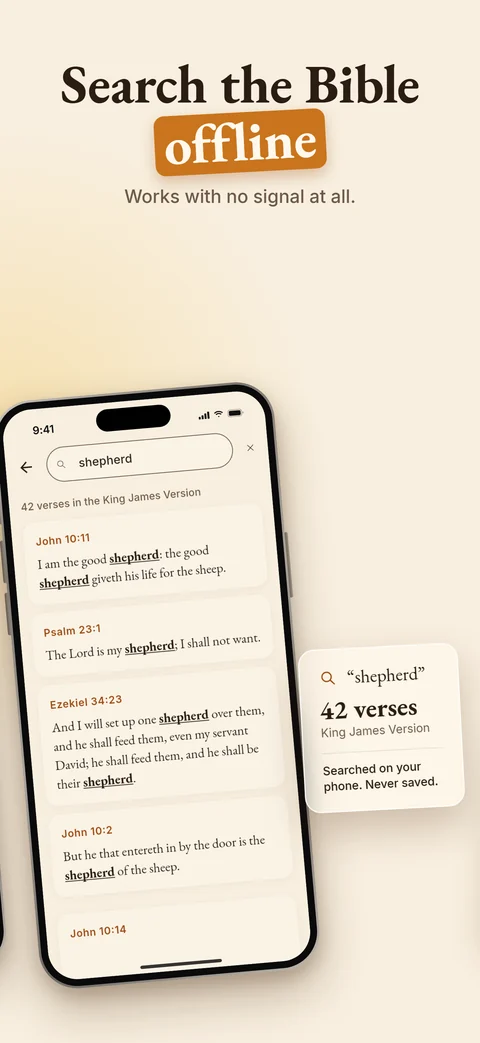
Verse search
Find any verse by its words, instantly and offline. What you type is never stored.
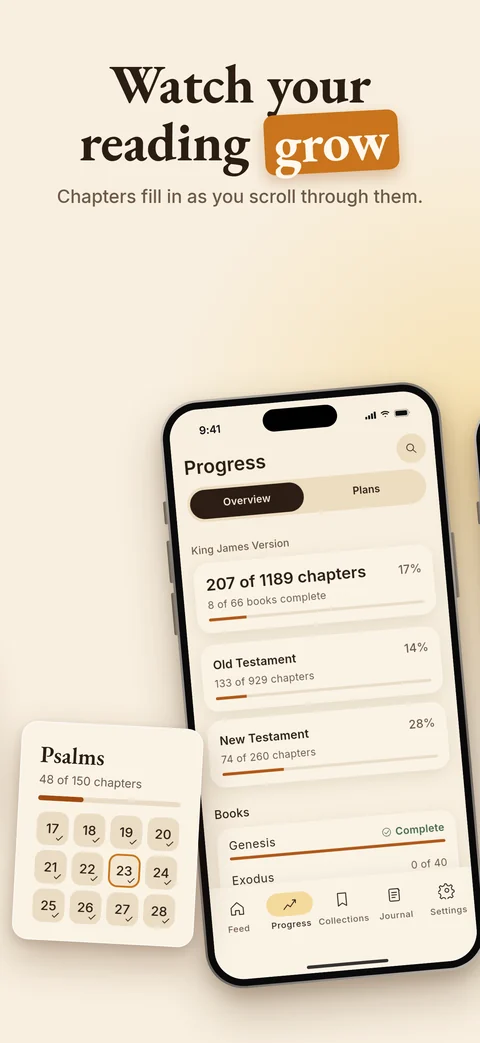
Reading progress
Chapters fill in as you read, book by book, so you can see how far you have come.
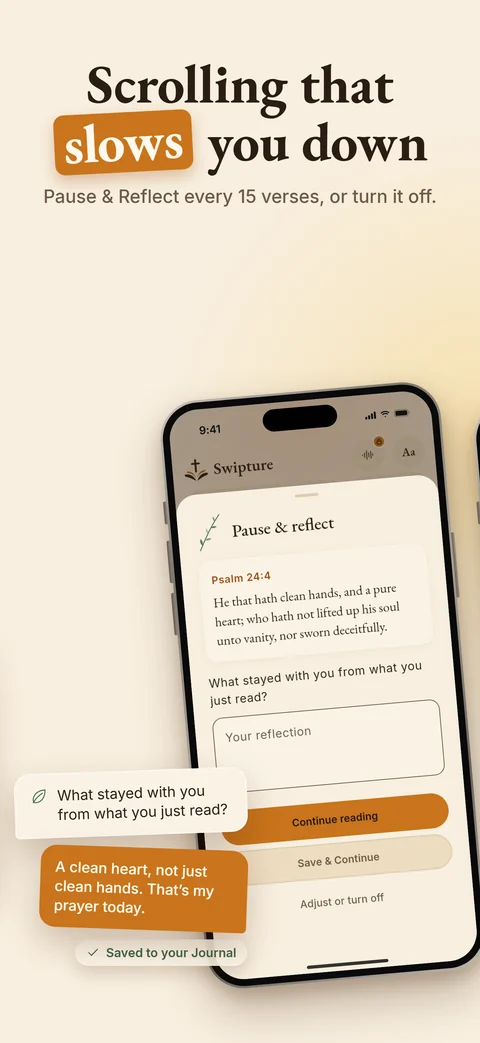
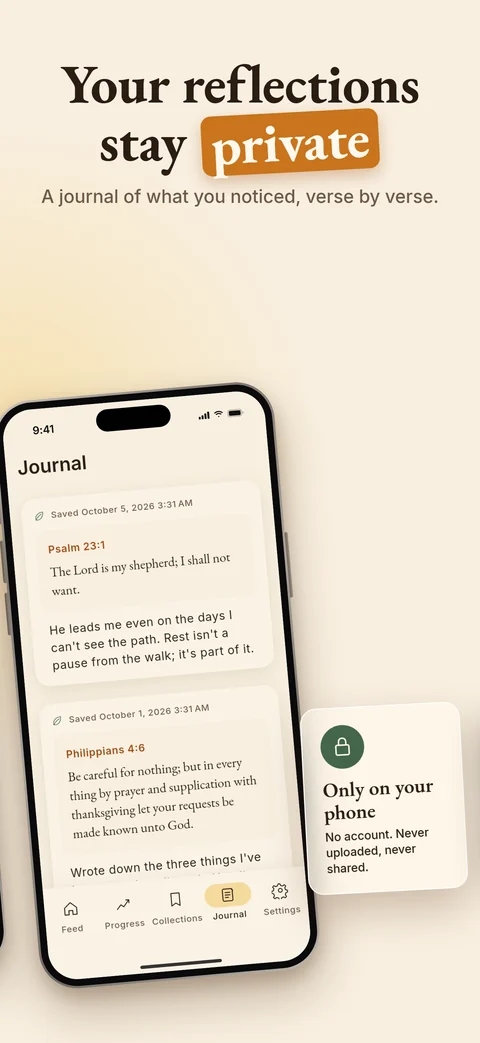
Pause & Reflect
Every few verses, a quiet moment to write what stayed with you, kept in your Journal.
Highlights & collections
Mark the verses that speak to you and gather them in collections, Favourites first.
Listen
Hear a chapter read aloud with your phone’s own voice — no download, works offline.
Share a verse
Send a verse as a beautiful picture, straight from the feed.
Scrolling that slows you down
Most feeds are built to keep you swiping. Swipture stops you, gently, every few verses and asks what stayed with you. Write a line, or just keep reading.
- Your reflections are saved in a private Journal on your phone
- Choose how often it appears — or switch it off
- Never in the way: the feed holds your exact place
Your reading stays on your phone
What you read in scripture can reveal what you believe, so we treat it as sensitive personal data — and keep it where it belongs.
- Reading history, highlights, notes, collections and reflections never leave your device
- No account, no sign-up, no usage analytics
- Ads are never personalised and never see what you read
- Delete everything any time: Settings → Privacy → Delete My Data (how deleting works)
- Read the full Privacy Policy
Frequently asked
Does Swipture work offline?
Yes. Every verse is stored on your device. Reading, listening, highlights, collections and reflections all work with no connection.
How does listening work?
Swipture reads scripture aloud with your device's own text-to-speech voice, so it works offline and there is nothing to download. If you hear nothing, check that a voice is installed in your device's text-to-speech settings.
Can I change translation?
Yes, in Settings, under Reading. Reading progress is kept separately for each translation, and switching never deletes anything. The Douay-Rheims numbers books and psalms differently, so it keeps its own place, and cross-references are shown only for the King James Version and World English Bible.
Why didn't my highlights move to my new phone?
Your reading data stays on the device where you created it. Swipture never backs it up to the cloud or copies it to a new phone, because we treat it as sensitive personal data. It is also removed if you uninstall the app.
How do I delete my data?
Settings, then Privacy, then Delete My Data. It removes your reading history, progress, highlights, notes, collections and reflections from this device, and can't be undone.
More answers on the Help & support page, or email sevenstar.neeraj@gmail.com — every message is read and answered by a person.
Small verses. Big changes.
“For God so loved the world, that he gave his only begotten Son, that whosoever believeth in him should not perish, but have everlasting life.” — John 3:16
Comments
Post a Comment